اس صفحے پر
Campaigns send an offer to a chosen group of guests. You see the results down to the orders it brought in.
Send a campaign
- Open Marketing and choose New campaign.
- Choose who gets it. Pick a segment from Customers or filter by rules.
- Write the message and choose the channel: WhatsApp, SMS or email.
- Check Reach and cost. The estimate shows how many guests get it and what it costs.
- Send now or schedule it for later.
- Open Results afterwards to see sent, read and orders brought in.
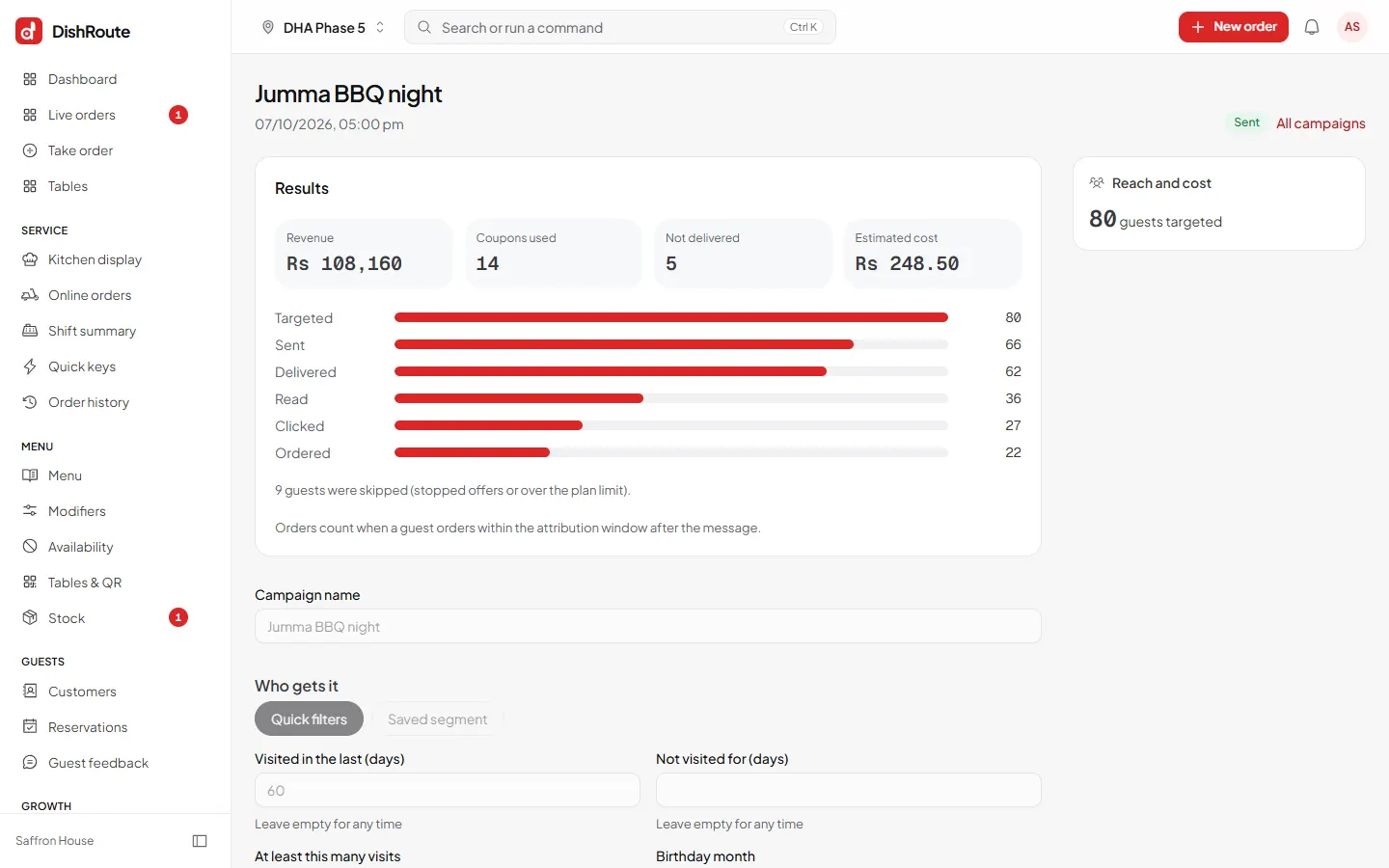
Only guests who agreed to marketing messages are included.
Automations
Under Automations, switch on messages that send themselves at the right moment, for example a thank-you after a visit or a message to guests who have not come back.
Related
کیا یہ صفحہ مفید تھا؟
سن کر خوشی ہوئی۔ آپ کا جواب کہیں بھیجا یا محفوظ نہیں کیا جاتا۔
معذرت۔ ہمیں بتائیں کیا کمی تھی، ہم یہ رہنمائی بہتر کریں گے۔ ہمیں بتائیں