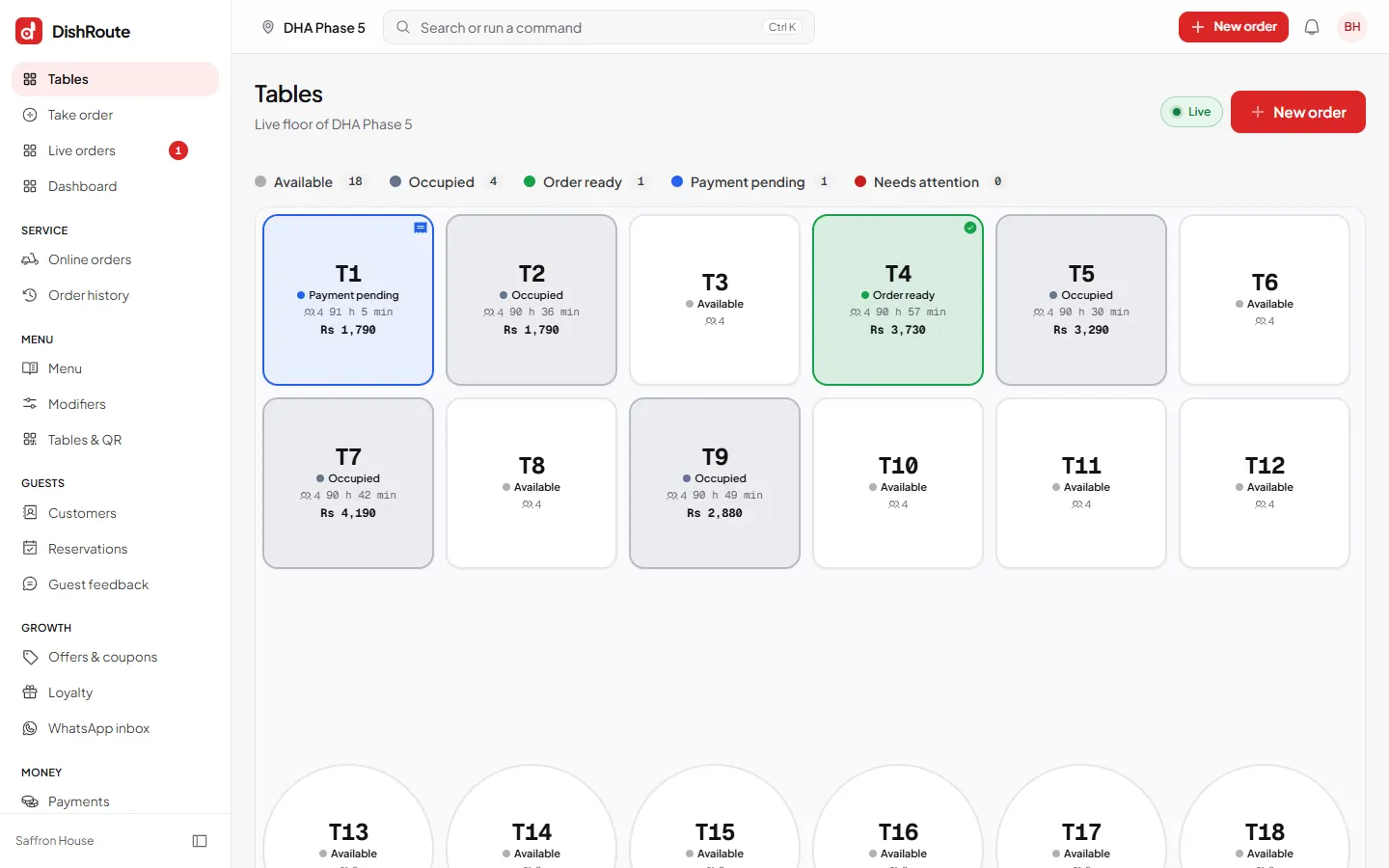
The waiter's home screen is the Tables floor. Every table is a card that changes colour as service moves along.
Read the floor
The row at the top counts the tables in each state:
- Available: nobody is seated.
- Occupied: guests are seated or eating.
- Order ready: the kitchen finished, so collect it.
- Payment pending: the guests asked for the bill.
- Needs attention: a guest called for help.
Occupied tables also show how many minutes the guests have been seated and the amount of the bill so far.
Take an order for a table
- Tap the table.
- Choose New order. To add to a running order, choose Add an order.
- Pick dishes, choose sizes and extras, and add a note for the kitchen.
- Choose Place order. It goes to the kitchen at once.
Table actions
Open a table to see its orders, what is paid and what is left. From there you can:
- Request the bill when the guests ask. The table turns to Payment pending.
- Move the party to another free table.
- Take the payment or send the guests to the cashier.
- Clear the table once everything is served and paid. It becomes Available again.
Answer guest calls
Guests can call a waiter, ask for the bill, water or napkins from their phone. Your screen rings and the table shows Needs attention. Tap the table and mark the request as done. Switch the sound on or off in Settings > Waiter app.
Related
Was this page helpful?
Good to hear. Your answer is not sent or saved.
Sorry about that. Tell us what was missing and we will improve this guide. Tell us