Take a booking
- Open Reservations from the left menu.
- Choose the day to see its bookings.
- Choose New booking. Add the guest name, phone, party size, date and time, and a table if you want to hold one.
- Save. The booking shows on the day list.
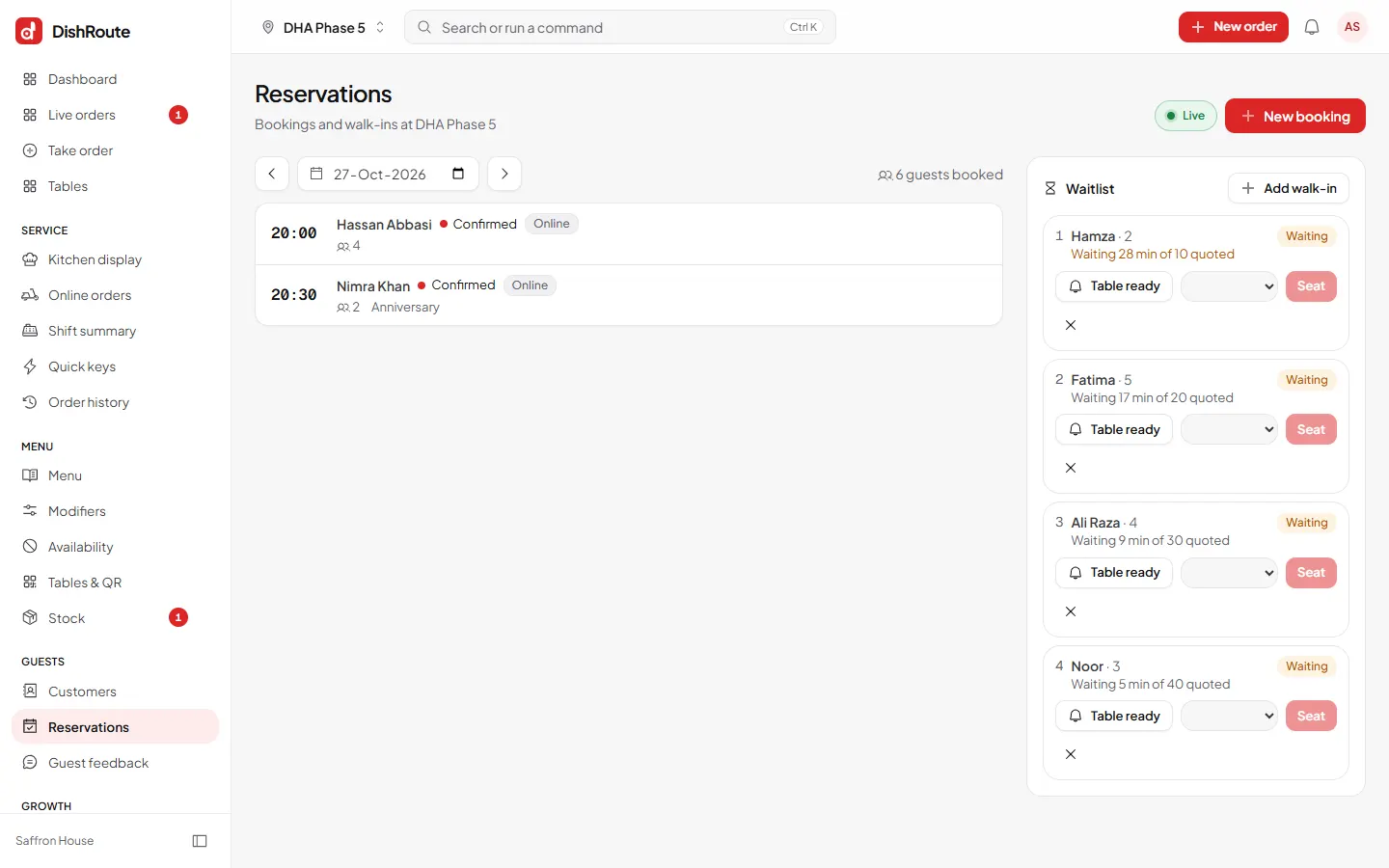
Walk-ins
Choose Add walk-in under Waitlist when the restaurant is full. Seat them when a table opens.
The booking page for guests
Guests can book themselves from your booking page, which is part of your restaurant page. Share its link on your social pages or Google profile.
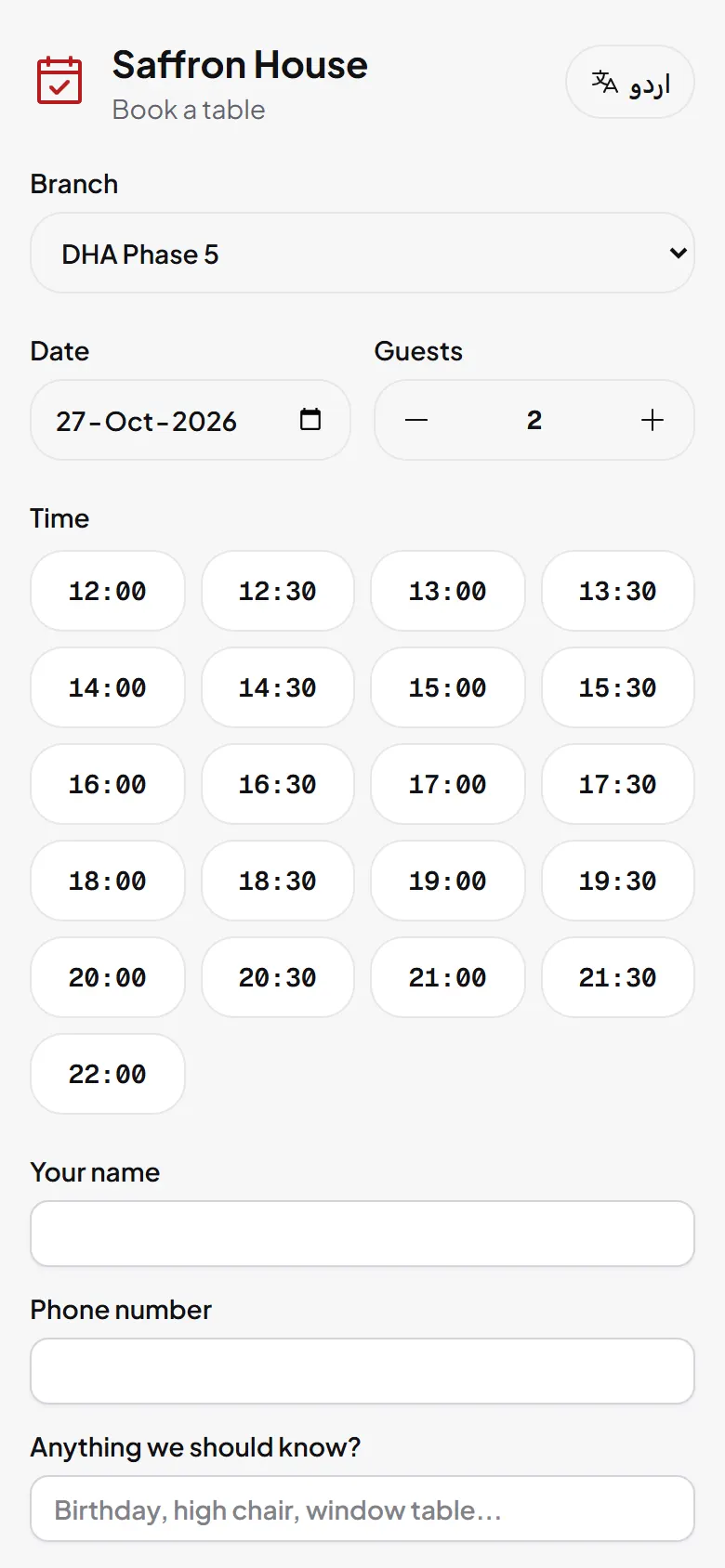
Set opening times, the guest limit and rules under Settings > Reservations.
Related
Was this page helpful?
Good to hear. Your answer is not sent or saved.
Sorry about that. Tell us what was missing and we will improve this guide. Tell us