DishRoute prints receipts, bills, kitchen tickets (KOT), Z reports, refund slips and table QR cards. You set how each one looks and watch a live preview.
Customize a printout
- Open Settings and choose Printouts.
- Pick a document from the tabs: Customer receipt, Bill (before payment), Kitchen ticket, Z report, Refund slip or Table QR cards.
- Choose the paper. Pick A4, 80 mm roll or 58 mm roll. A 58 mm roll prints 32 characters wide and an 80 mm roll prints 48.
- Choose the language. Print in English, Urdu, or English and Urdu together.
- Choose the text size and copies. Small, medium or large, and how many copies print each time.
- Edit header and footer lines, for example a thank-you message.
- Check the preview on the right. It uses sample data and your own logo.
Print automatically
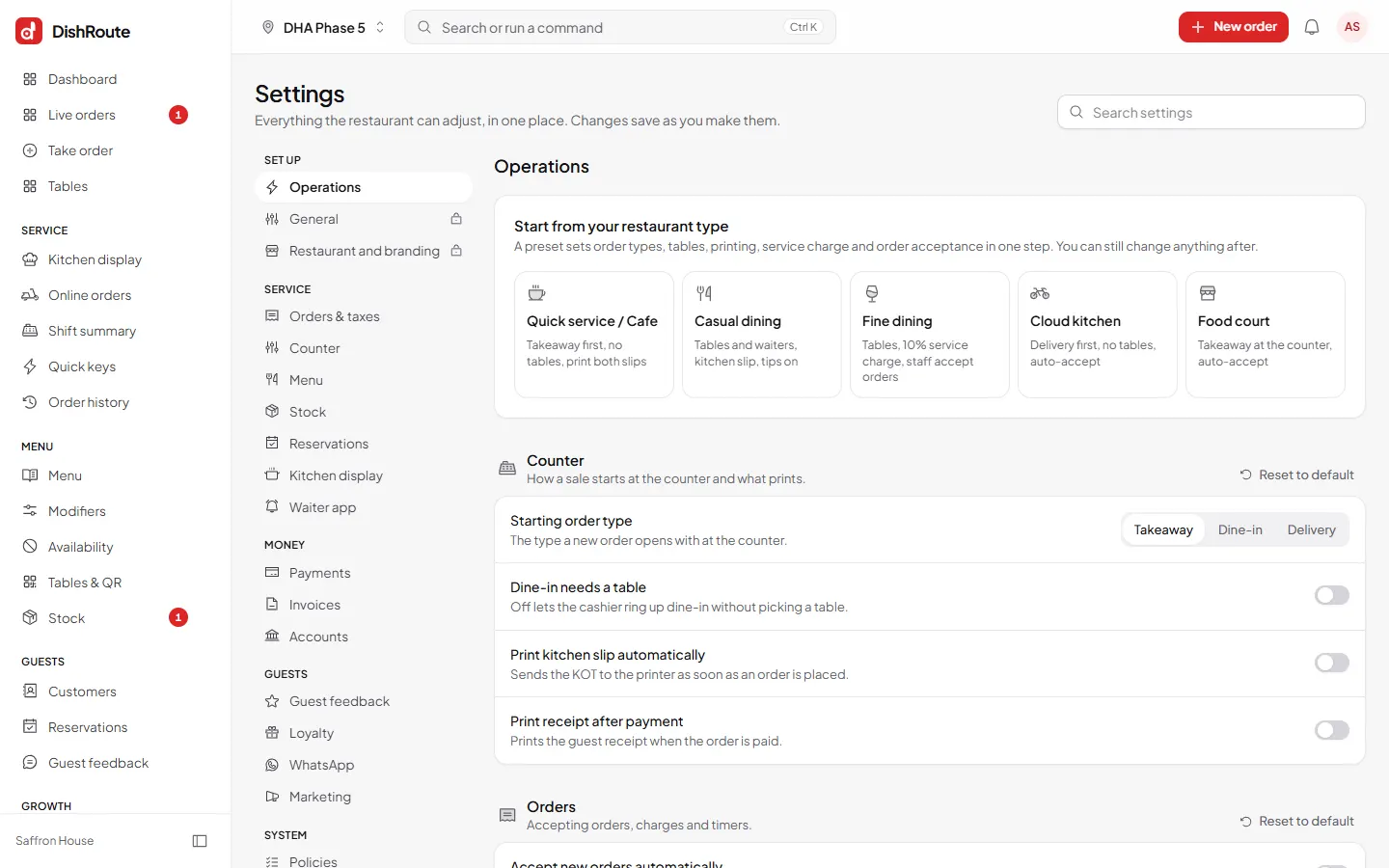
In Settings > Operations, under Counter, switch on Print kitchen slip automatically and Print receipt after payment. The kitchen slip goes to the printer as soon as an order is placed.
Printers and devices
Paper size and direct printing are also set per device. Under Settings > This device, choose the paper size and switch on direct printing. Network printers need only an IP address. A USB printer must be shared from the PC it is plugged into.
Related
Was this page helpful?
Good to hear. Your answer is not sent or saved.
Sorry about that. Tell us what was missing and we will improve this guide. Tell us