On this page
Tables are what guests scan and what waiters serve. Group them into areas such as Hall, Terrace or Family.
Add areas and tables
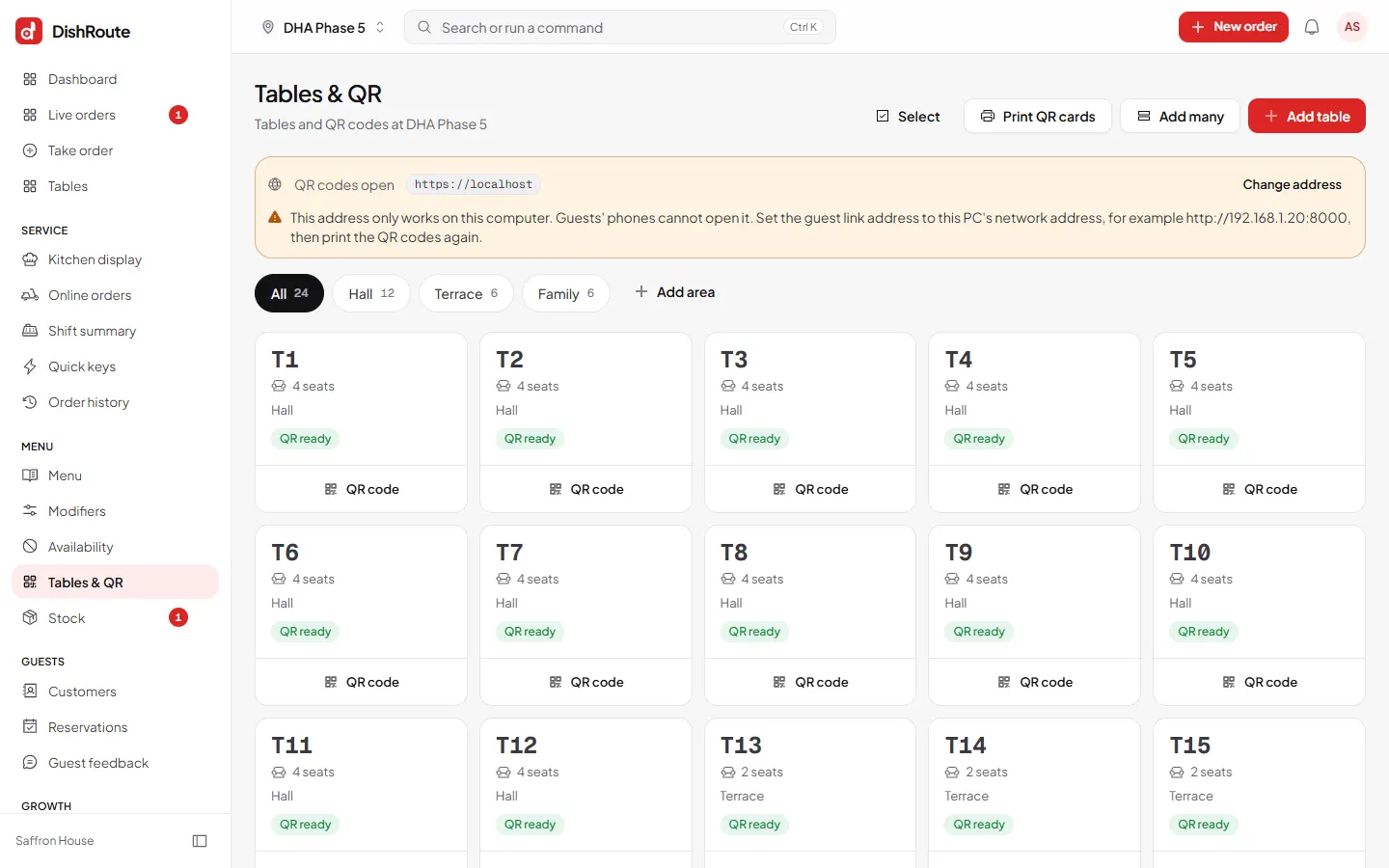
- Open Tables & QR. Each area is a tab with its table count.
- Choose Add area. Name it. Turn it off later if the area is closed for now.
- Choose Add table and type the name or number, the number of seats and the area.
- Add many at once. Choose Add many to create T1 to T20 in one go.
- Check each table shows QR ready. Every table gets its own QR code.
Good to know
- Table names are what guests and waiters see, so keep them short, such as T4.
- An area can only be deleted when it is empty. Move its tables first.
- The number of tables depends on your plan.
Related
Was this page helpful?
Good to hear. Your answer is not sent or saved.
Sorry about that. Tell us what was missing and we will improve this guide. Tell us