On this page
The app only shows what your role allows. Each role starts on its own work screen, with up to four screens in the bottom bar. The rest are under Profile then More screens.
Owner and manager: Today
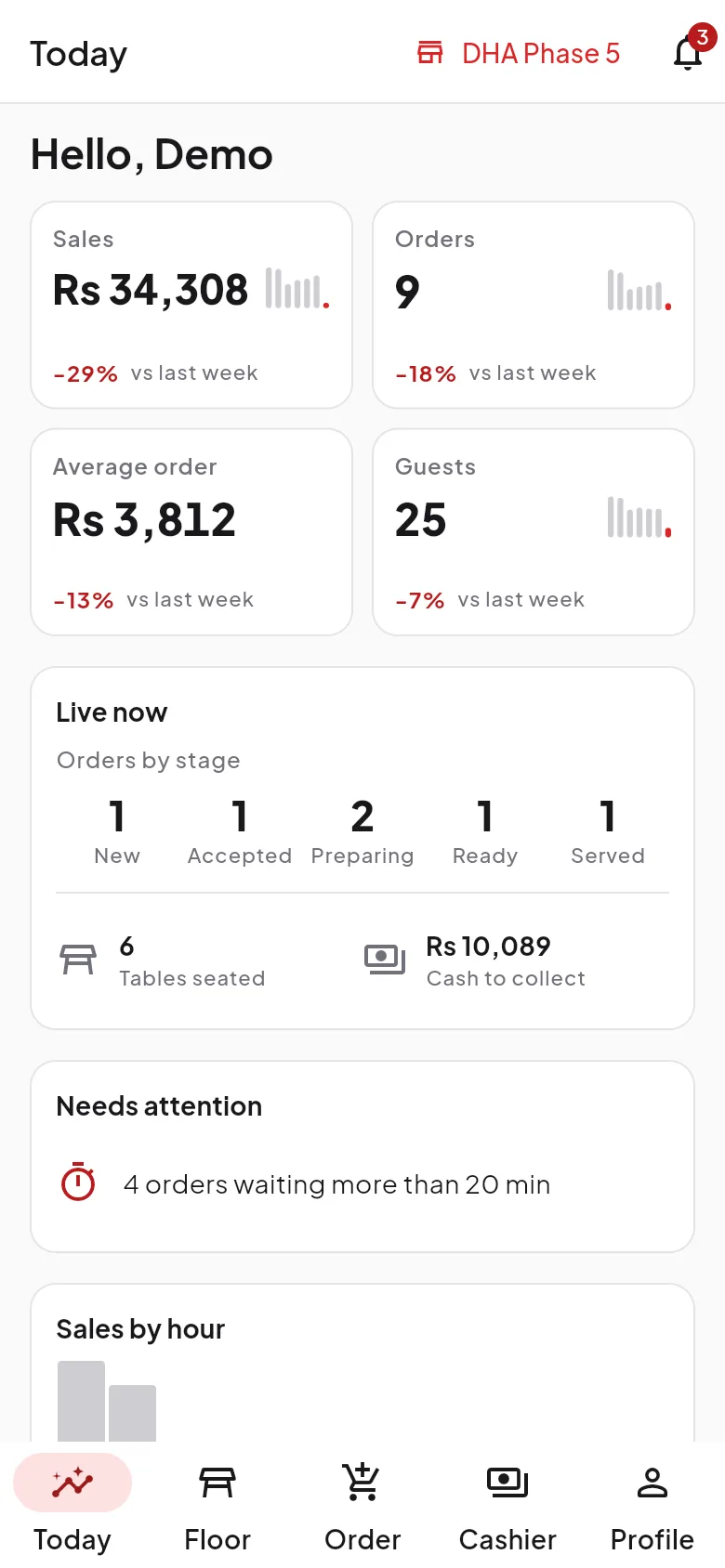
Today shows sales, orders, average order and guests compared with last week, orders by stage, alerts, hourly sales, top items and a quick view of reports.
Waiter: Floor and Order
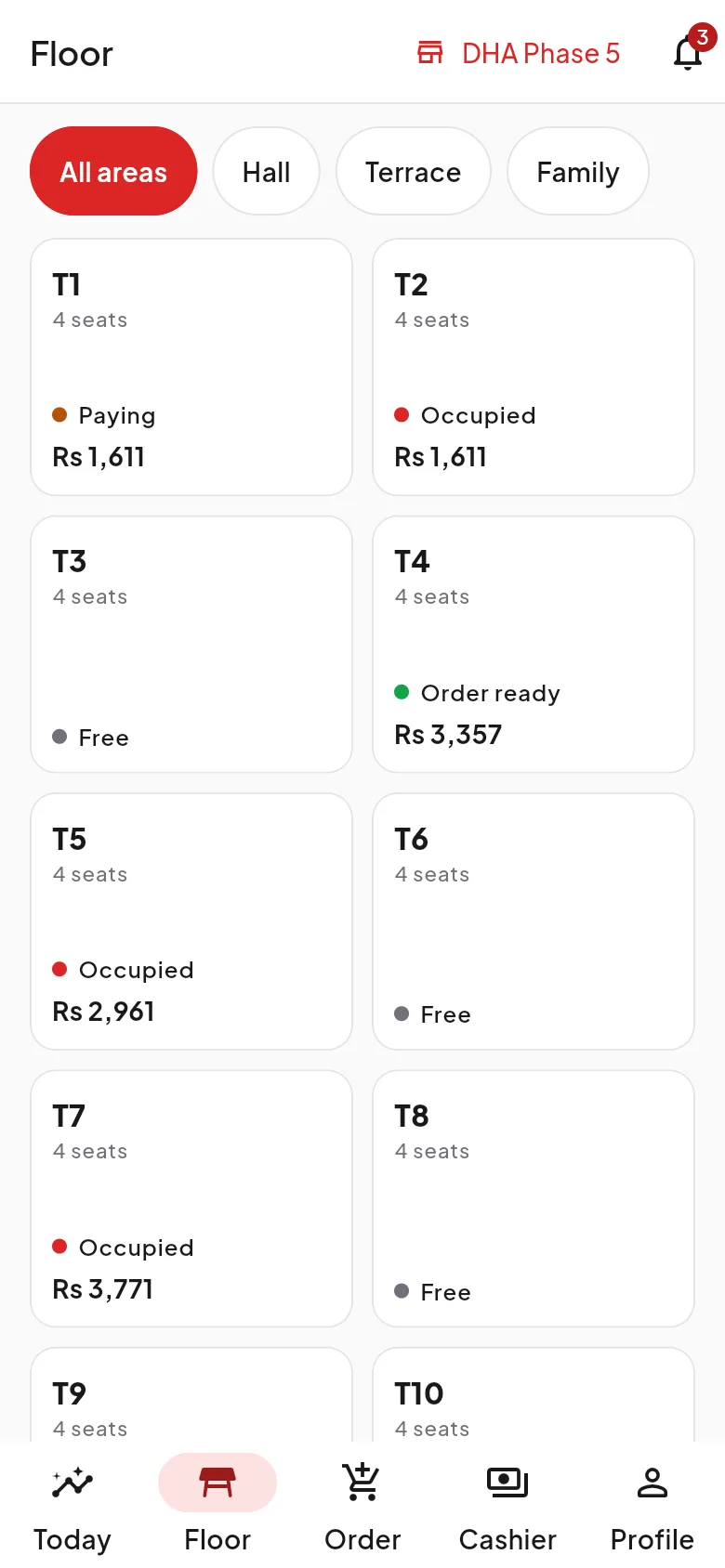
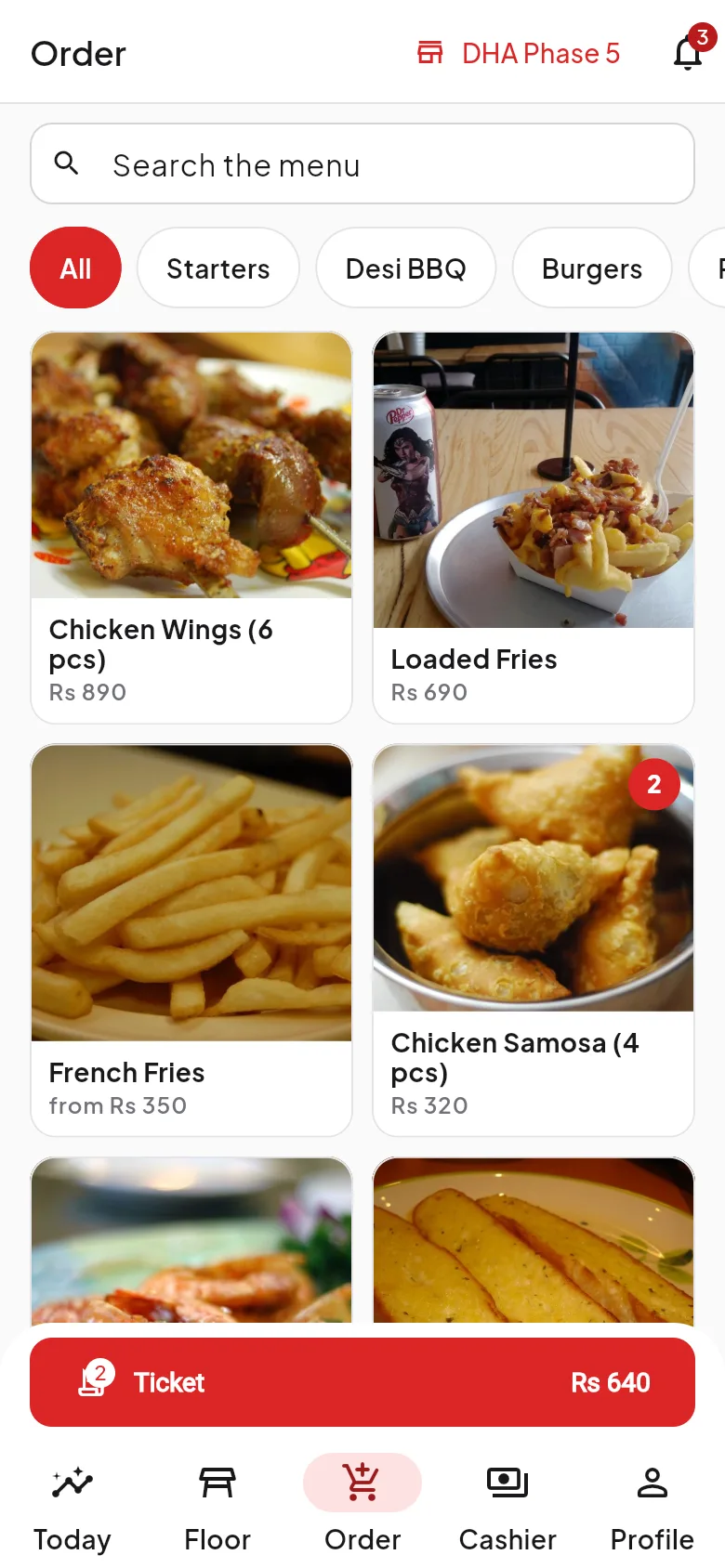
Floor shows every table with live colours. Guest calls vibrate and ring. Tap a table to take an order, request the bill, move the party, clear the table or take payment. The order screen has category chips, a photo grid, an options sheet, the ticket and Send to kitchen.
Kitchen
Tickets show live timers. Mark a whole ticket or single lines done, recall a ticket and filter by station.

Cashier: Payment
The cashier sees open orders with the balance due. Take cash with quick-cash buttons and change, card, or wallet methods set up by the restaurant, and open the signed PDF receipt.

Everyone: Notifications
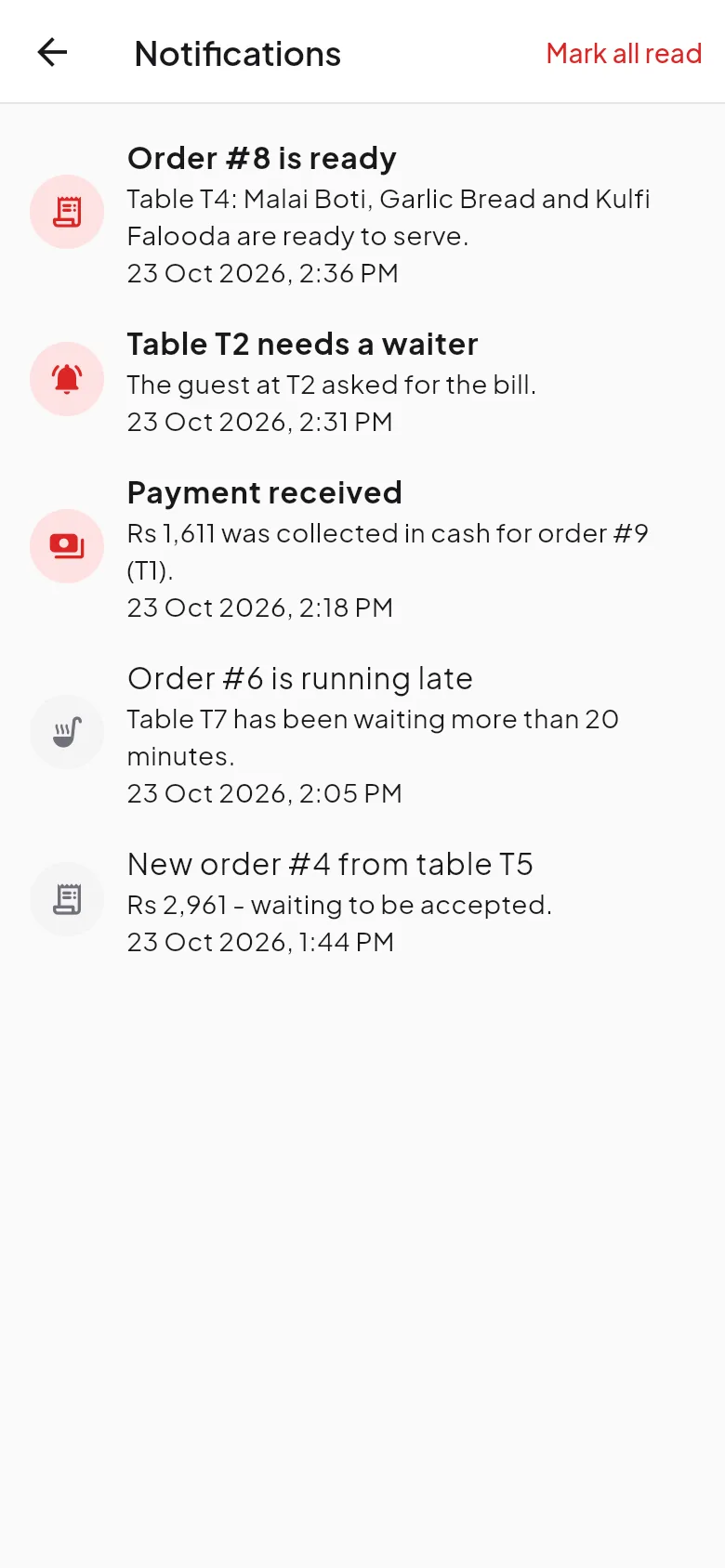
A badge shows unread alerts such as new orders and guest calls.
Live updates
Screens refresh themselves every few seconds. A banner shows if the connection is lost, and the screens keep their last data until it returns.
Related
Was this page helpful?
Good to hear. Your answer is not sent or saved.
Sorry about that. Tell us what was missing and we will improve this guide. Tell us